Changelog
Track the latest updates and improvements to PSFlow.
V1.0.35
- •Fixed recording settings resetting after restarting Photoshop. Storage limits, recording intervals and other recording preferences are now saved reliably, even when Auto Start Recording is turned off.
- •Fixed switching between documents sometimes interrupting recording or creating an unexpected new recording folder. Captured frames and recording settings now stay associated with the correct document.
- •When recording only the current document, documents added by starting recording manually are now remembered after restarting Photoshop, so Auto Start Recording can resume them.
- •Fixed History reading and deleting recordings from the wrong folder when a custom recordings folder was selected.
V1.0.32
- •**Recordings folder**: you can now choose where PSFlow saves recorded frames — another drive, for example — under Settings. Until now everything went to a fixed folder on the system drive.
- •When you pick a new folder, PSFlow offers to move your existing recordings across, so your History stays complete.
- •If the chosen folder is ever unreachable — an external drive that is unplugged — recording continues into the default folder instead of failing, and the panel tells you.
V1.0.31
- •**Format and quality**: the export panel now lets you choose between MP4 and MKV, and between three quality levels — Standard, High and Lossless.
- •**Lossless export** writes an MKV in which every pixel is preserved exactly, encoded as RGB rather than converted to YUV. Meant for archiving a piece rather than posting it — the files are large.
- •**Editable FFmpeg arguments**: the arguments for the selected quality are shown in the export panel and can be edited, so you can set your own codec, CRF, pixel format or preset.
- •Choosing Lossless now warns you if the recording stored JPEG frames, because those cannot be made lossless afterwards. Set the frame format to PNG in the panel settings before recording.
- •Fixed on Windows: when OneDrive's folder backup had moved your Desktop, the default save folder pointed somewhere that no longer existed and the export failed with an unreadable error code.
V1.0.30
- •Fixed: the panel could open completely blank for some macOS + Photoshop 2026 users. Connecting to the recording service was denied at startup, which tore down the whole interface; the connection now retries instead.
- •If the panel ever fails to start, it now shows the actual error instead of a blank rectangle, so you can send it to us.
- •macOS installer: upgrades now clear out the previous version's files first — every update used to leave another copy behind — and the install writes a log.
- •The macOS installer no longer depends on python3 being present, so the plugin registers correctly on Macs without developer tools installed.
V1.0.29
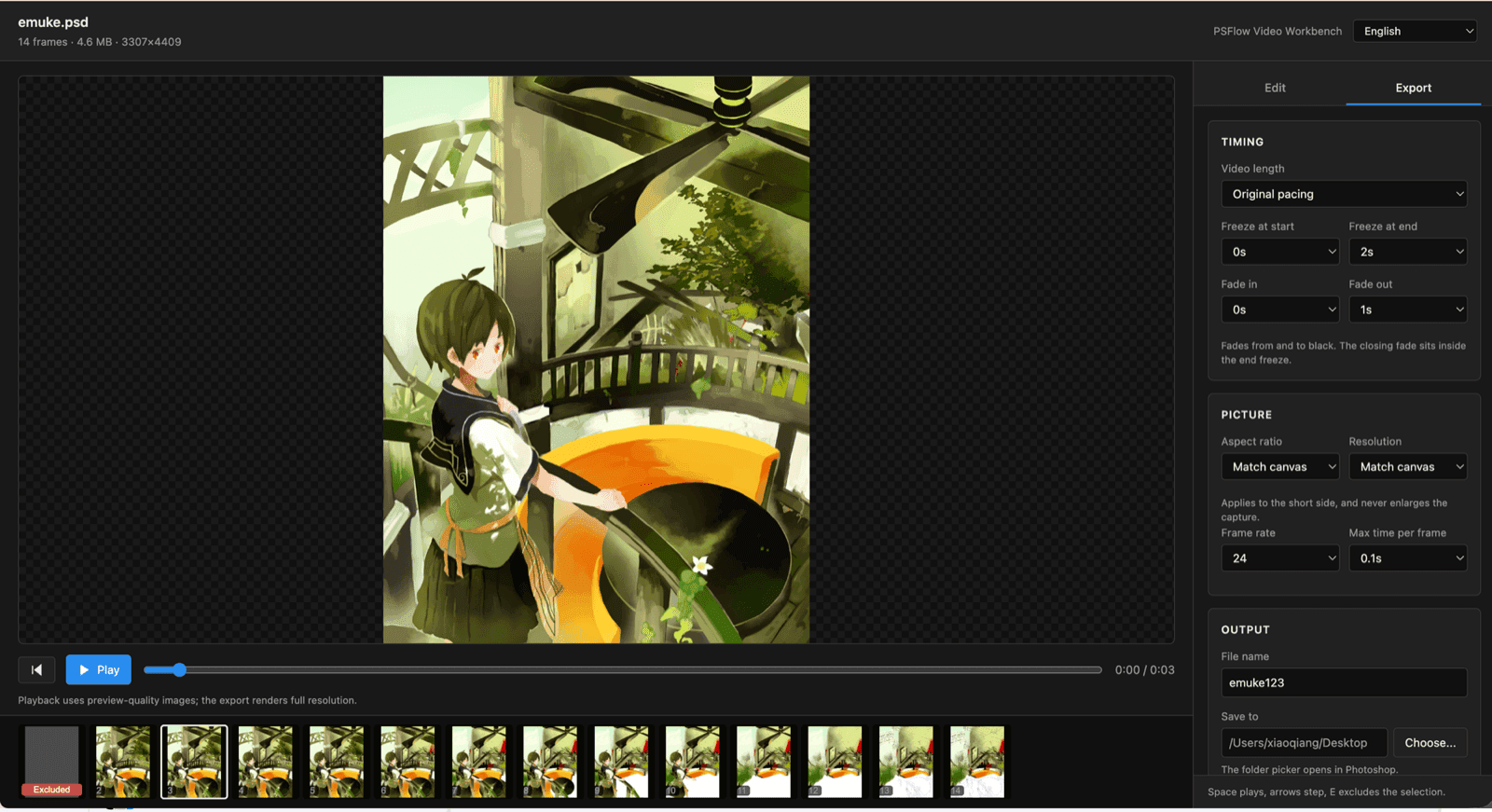
- •New: the Video Workbench. Click Play on any recording in History and PSFlow opens a full editing page in your browser — step through every captured frame, preview playback exactly as it will export, exclude and restore frames, batch-select, trim the start and end, and dwell longer on individual frames. Available in 10 languages.
- •New: intro and outro. The video opens on your finished artwork, plays the drawing, then washes the finished piece back in over white and holds it. On by default — one switch turns it off if you want the drawing and nothing else.
- •Export moved into the workbench and gained a custom file name (with an overwrite prompt), resolution presets of 360/720/1080/1440 applied to the short side and never upscaled, a target video length, and aspect-ratio framing for YouTube, Reels and Shorts.
- •New: Time Spent. PSFlow now tracks how long you actually worked on each document and shows it in History and in the workbench.
- •The macOS and Windows installers are now code-signed and notarized. macOS no longer refuses to open the installer with “Apple could not verify…”, and Windows no longer warns about an unknown publisher.
- •Fixed: captured frames used the content bounding box instead of the canvas, so frame sizes varied, the picture jittered, and the video took its size from the first frame. Every frame is now padded back to the canvas.
- •Fixed: the last stroke before you stopped recording could be lost for good.
- •Fixed on Windows: the workbench opened as a blank page reporting “Unauthorized”, and “Show in folder” opened Documents instead of the folder you exported to.
- •Security: the recorder’s local port now binds to 127.0.0.1 only and requires an access token. Previously anyone on the same network could send it commands.
- •Fixed: the plugin failing to load on Photoshop 2021 and other older versions.
V1.0.20
- •Fixed a plugin loading failure on Photoshop 2021 and other older versions that prevented the recorder from starting.
- •Fixed recording capturing 0 frames on those older versions, so timelapse capture and video export work correctly again.
V1.0.18
- •Fixed vertical smear artifacts in exported timelapses from large, high-resolution canvases by keeping video output within hardware-compatible dimensions.
- •Windows: Fixed UXP registration during installation so the extension is registered reliably.
V1.0.17
- •Recording now captures only the canvas (or active artboard) area. Content that extends outside the canvas is no longer included, so your exported timelapse needs less cropping.
- •Added a ‘Paused — canvas flipped’ indicator so you can tell when recording is paused because the canvas is flipped.
- •Fixed the recording size showing 0 B during capture, and improved video export reliability for longer recording sessions.
V1.0.11
- •Fixed an issue on some Photoshop versions where the panel could not receive recording status and license updates from the recorder; the panel now stays in sync reliably.
V1.0.10
- •Windows: Fixed an issue where the Photoshop extension failed to load after installation due to a signature verification error.
- •Installer now cleans up files left over from older versions before installing to avoid version conflicts.
V1.0.9
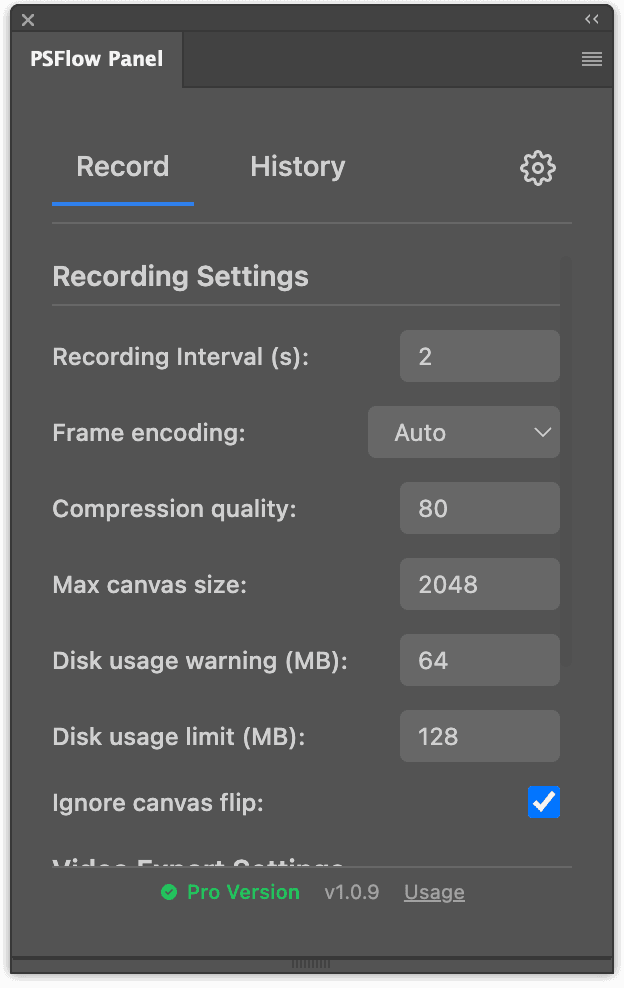
- •Core: Added more video recording options, including configurable image size and image quality to reduce storage usage.
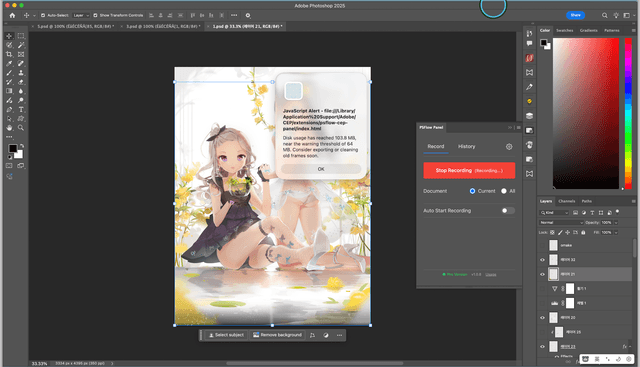
- •Core: Added a configurable local storage quota to prevent excessive disk usage.
- •Fixed several bugs reported by users.
V1.0.7
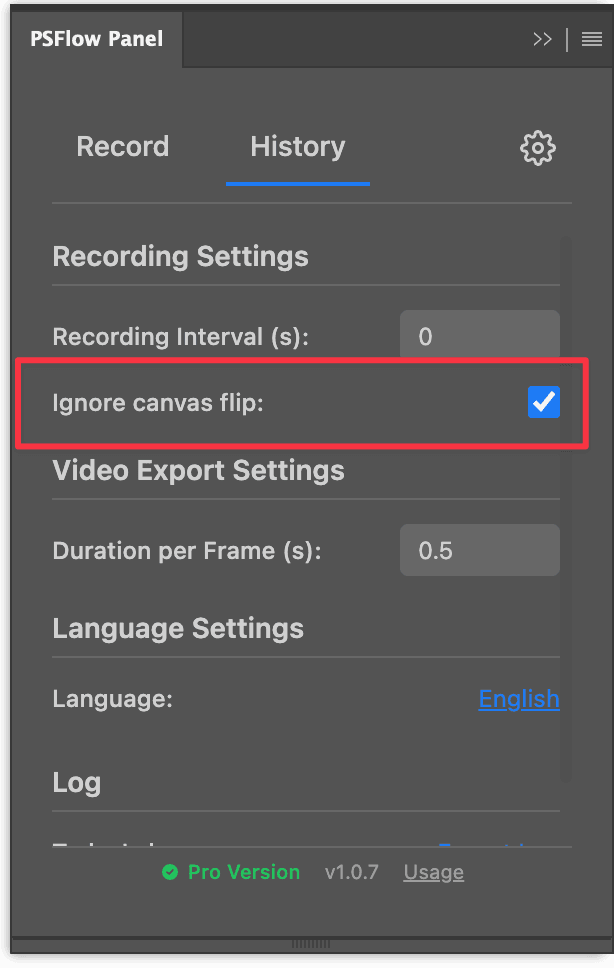
- •Core: Support ignore canvas flip configuration. When you flip the canvas during recording, the flip state won't be captured, making the output video clearer.
- •Fixed minor bugs.
V1.0.4
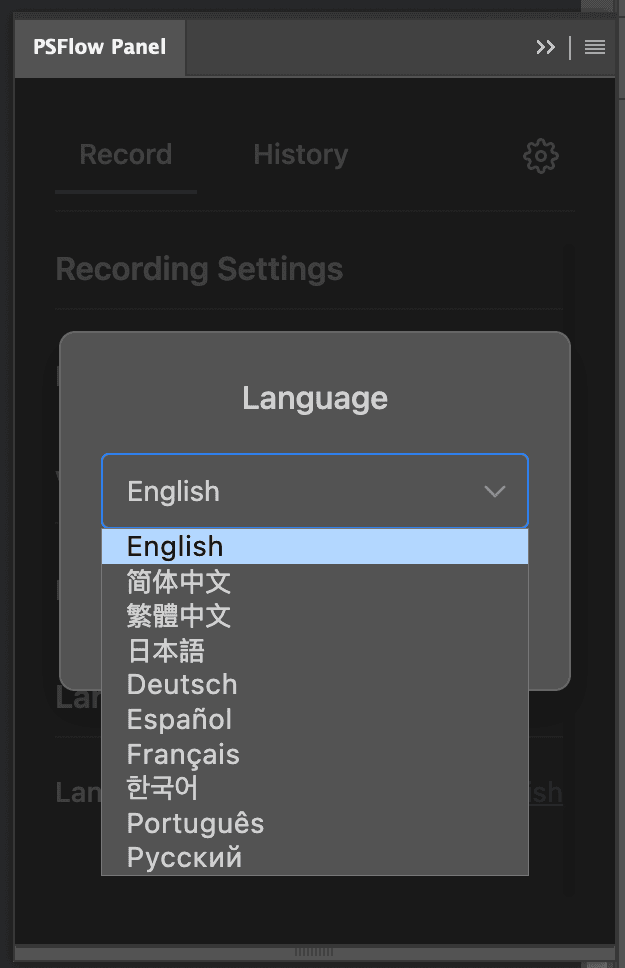
- •Localization: Support for more language options.
- •UI: Redesigned and improved settings interface layout.
V1.0.2
- •Core: Optimized video export speed, making it faster than before.
- •UI: Fixed start button recording status synchronization when the panel is closed and reopened.
- •Fixed minor bugs.
V1.0.1
- •Core: Added recording interval control, you can now set the interval to capture frames instead of every action.
- •Core: Added recorded frames and size of snapshot.
- •Core: Changed default video frame duration to 0.5s
- •UI: Added version info and usage link to panel footer
- •UI: Improved recording scope selection interface
- •UI: Optimized "Start Recording" button size and footer readability
V1.0.0
- •Support recording of current document and all documents
- •Support automatic recording after starting PS
- •Support exporting recorded records as MP4 video files
- •Support exporting video with custom duration per frame