Record Your MasterpiecePhotoshop Timelapse Plugin
PSFlow is the ultimate Photoshop Timelapse Plugin designed for digital artists. Automatically record your entire creative process, speedpaints, and sketches in Photoshop without recording the whole screen.
- Photoshop CC2020+
- Windows & macOS
- One-time purchase
Features
Why PSFlow?
Because recording speedpaintings in Photoshop is a pain.
Canvas-Only Recording
Captures only your artwork, ignoring Photoshop UI panels, zooming, and panning. Your viewers see just the art, not the mess.
No Extra Software
Forget about OBS or QuickTime. PSFlow runs entirely inside Photoshop as a native plugin. No setup required.
Instant Video Generation
Export your timelapse instantly to MP4. No complex video editing software needed. Share your work in seconds.
The difference
Stop fighting your screen recorder
Screen recorders were built for gameplay and meetings. PSFlow was built for painting.
Screen recorder (OBS, QuickTime)
- Remember to hit record every session
- Captures panels, menus, zooming and notifications
- Hours of raw footage to trim and speed up
 With PSFlow
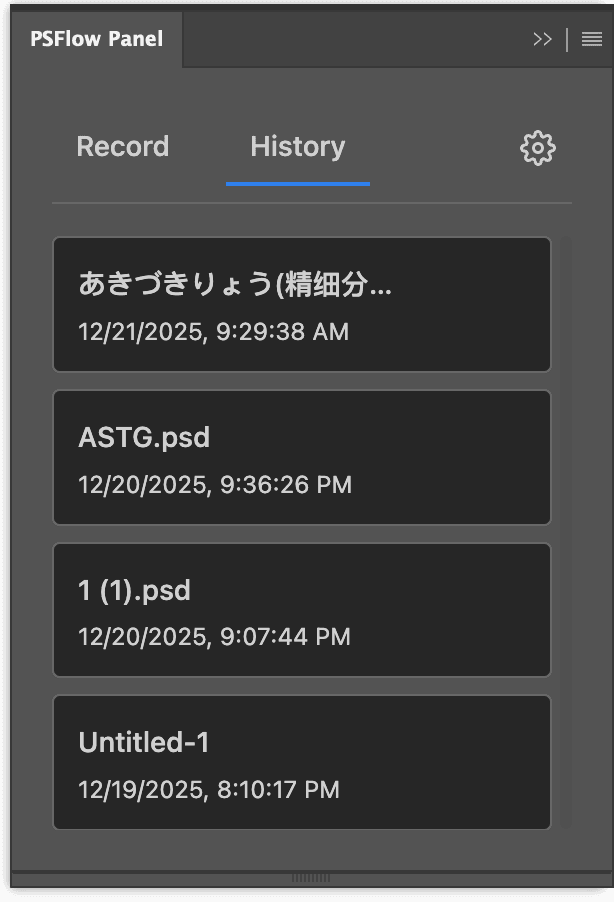
- Records from inside Photoshop and pauses when you're idle
- Canvas only — viewers see the artwork, nothing else
- Export a finished MP4 timelapse in one click
How it works
Simple and Powerful
Three steps to create your speedpaint video.
- 1
Start Recording
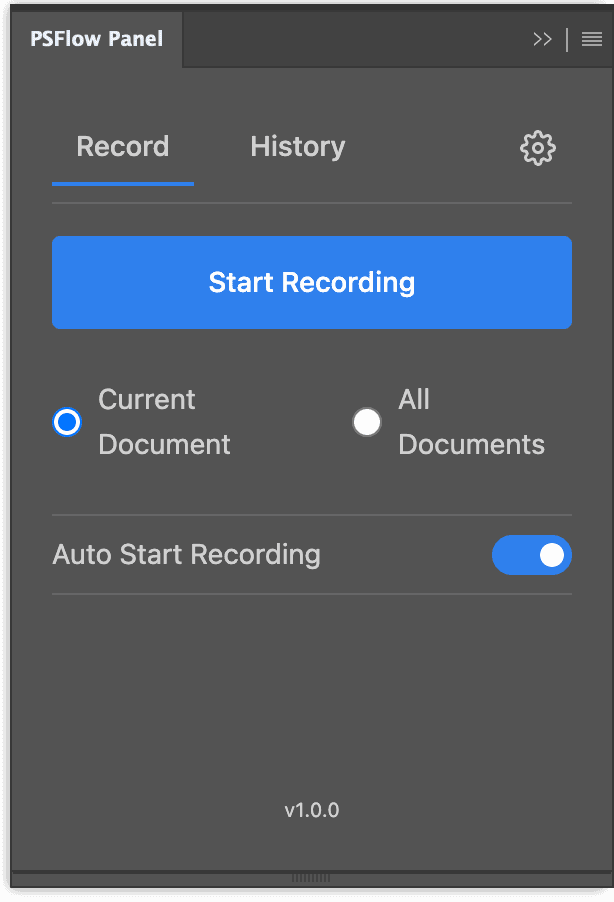
Open the PSFlow panel in Photoshop and click the record button. It runs silently in the background while you focus on your art.
- 2
Create Your Art
Paint, sketch, and design as usual. PSFlow captures every stroke intelligently, pausing automatically when you are idle.

- 3
Export Video
Done? Click stop and choose your export settings. Get a high-quality MP4 file instantly, ready to share on social media.
Guides
Recording Photoshop, explained
How to Record a Speedpaint in Photoshop
Capture your canvas, review and trim the recording, then choose the length, framing and MP4 export settings for your finished speedpaint.
How to Record a Timelapse in Photoshop
Photoshop ships without a process recorder. Three ways to get a timelapse out of it, and why only one of them survives zooming and panning.
Does Photoshop Have Timelapse or Speedpaint Recording?
No — and the History and Timeline panels are not the workaround people hope they are. What each one actually does.
PSFlow vs F_Record
Compare platforms, installation, pricing and reported issues, with links to the original sources.
Frequently Asked Questions
What people ask before installing a Photoshop timelapse plugin.
Does Photoshop have built-in timelapse recording?
Do I need OBS or another screen recorder?
Does it record my whole screen?
Which Photoshop and OS versions are supported?
Is PSFlow a subscription?
Your next piece deserves a timelapse
Install PSFlow, start painting, and export a share-ready video when you're done.