Record Your MasterpiecePhotoshop Timelapse Plugin
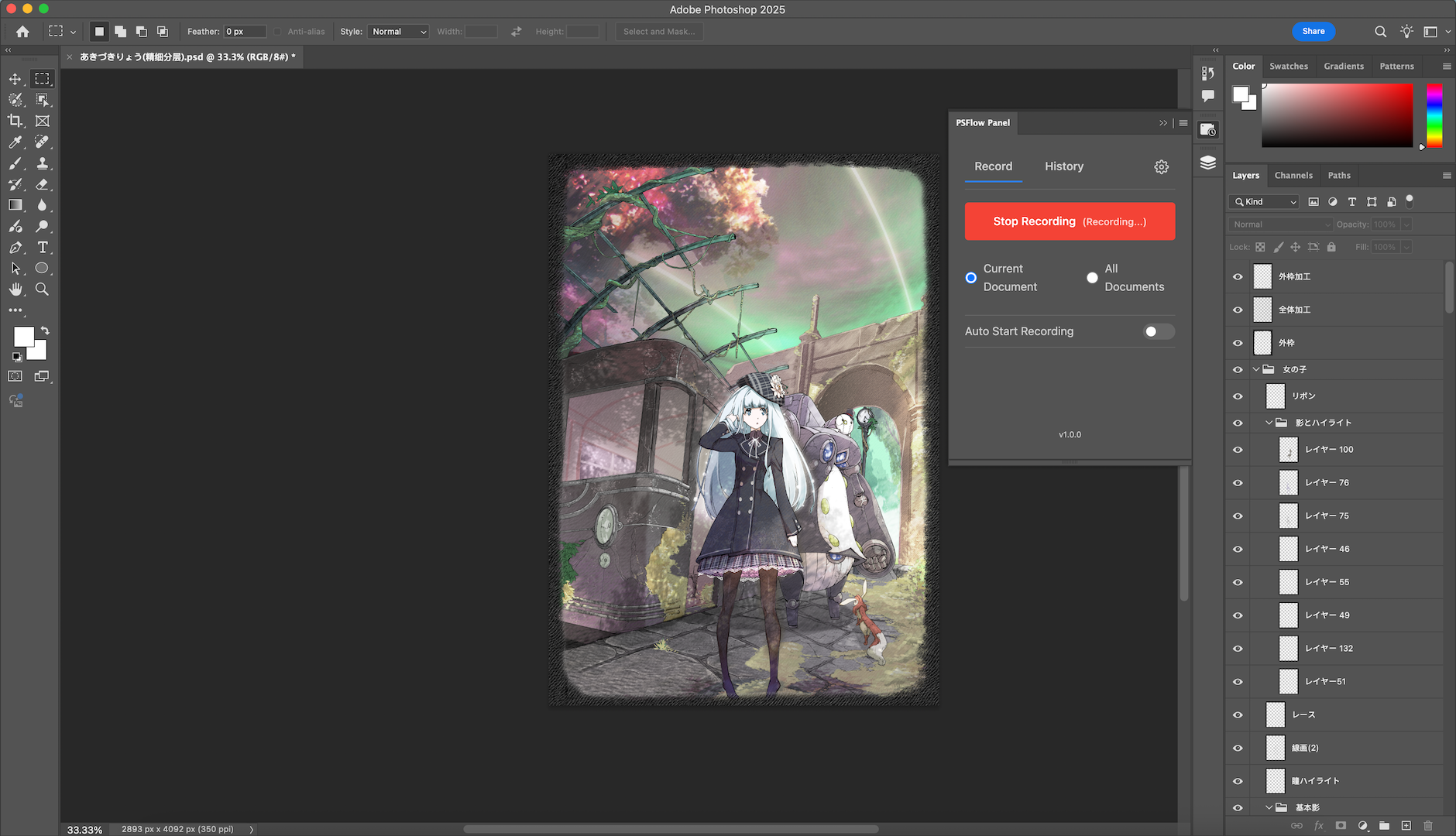
PSFlow is the ultimate Photoshop Timelapse Plugin designed for digital artists. Automatically record your entire creative process, speedpaints, and sketches in Photoshop without recording the whole screen.
Features
Why PSFlow?
Because recording speedpaintings in Photoshop is a pain.
Canvas-Only Recording
Captures only your artwork, ignoring Photoshop UI panels, zooming, and panning. Your viewers see just the art, not the mess.
No Extra Software
Forget about OBS or QuickTime. PSFlow runs entirely inside Photoshop as a native plugin. No setup required.
Instant Video Generation
Export your timelapse instantly to MP4. No complex video editing software needed. Share your work in seconds.
How it works
Simple and Powerful
Three steps to create your speedpaint video.
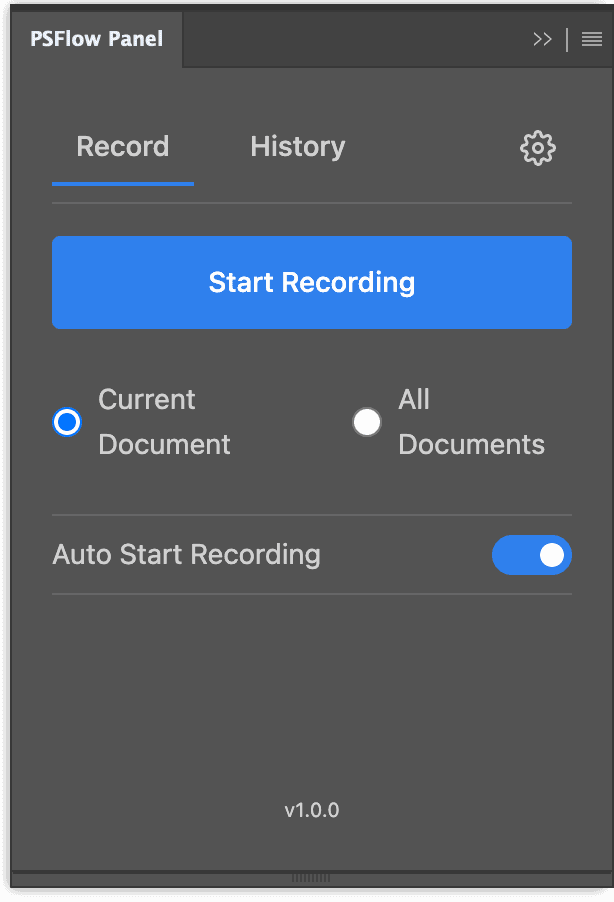
Start Recording
Open the PSFlow panel in Photoshop and click the record button. It runs silently in the background while you focus on your art.
Create Your Art
Paint, sketch, and design as usual. PSFlow captures every stroke intelligently, pausing automatically when you are idle.

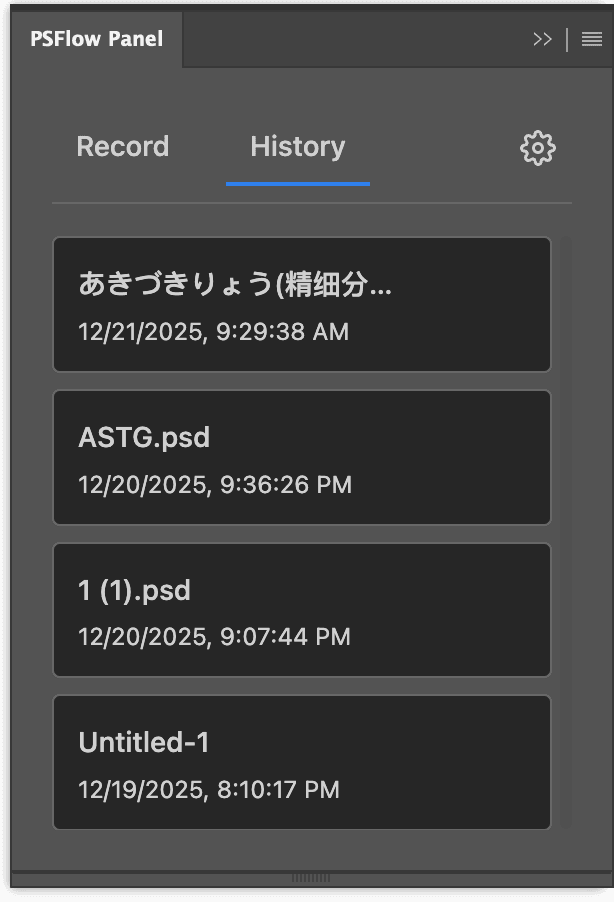
Export Video
Done? Click stop and choose your export settings. Get a high-quality MP4 file instantly, ready to share on social media.